

How to Return Online Fashion Purchases
Table of Contents
- How to Return Online Fashion Purchases: The Complete Process
- Check Your Online Clothing Return Policy Before You Start
- Step 1: Log Into Your Customer Account and Start a Return Request
- Step 2: Provide a Return Reason and Get Your Return Authorization
- Step 3: Obtain Your Return Label or Request One by Mail
- Step 4: Package Your Items Properly and Arrange Shipment
- Return Your Online Order in Store or by Mail
- Track Your Return and Understand Online Fashion Refund Timeline
- Frequently Asked Questions
Last Updated: October 12, 2026
How to Return Online Fashion Purchases: The Complete Process
Returning online fashion purchases doesn't have to be complicated. Whether your order didn't fit right, arrived with a flaw, or simply wasn't what you expected, most retailers, including AmberShop21, make the return process straightforward once you know the steps. This guide walks you through how to return online fashion purchases from start to finish, covering everything from initiating your request to tracking your refund.
The return process typically follows the same basic structure across most online retailers. You'll start by logging into your customer account, select the items you want to return, provide a reason, obtain a return label, package your items, and ship them back. Some retailers also offer in-person returns at physical locations. Understanding each step upfront saves time and reduces frustration.
Check Your Online Clothing Return Policy Before You Start
Before you initiate any return, read your retailer's return policy carefully. Return windows vary significantly between businesses. Some offer 30-day return windows, while others extend to 60 or 90 days. A few retailers impose restocking fees on certain items, and some charge for return shipping.
Key policy details to check:
- How many days you have to start a return from your purchase date
- Which items are eligible (some clearance or final-sale items cannot be returned)
- Whether return shipping is free or if you pay for it
- If refunds go back to your original payment method or as store credit
- Whether exchanges are available as an alternative to refunds
AmberShop21 makes this information easy to find on the website. Take two minutes to review the specific terms before proceeding. This prevents surprises later and ensures your items qualify for return.
Step 1: Log Into Your Customer Account and Start a Return Request
Open your retailer's website and sign into your customer account using your email and password. Once logged in, navigate to your order history or "My Orders" section. This is where all your past purchases appear.
Find the order containing the item you want to return. Click on it to view the order details. You'll see a list of everything in that order along with the order number, purchase date, and total amount paid. Keep this order number handy, you'll need it for your return.
Locate Your Order Number and Order Details
Your order number is a unique identifier that tracks your purchase. It typically appears as a string of numbers and letters (for example, AMB-2026-789456). Write it down or take a screenshot. You'll reference this when you contact customer support or when you ship your return.
The order details also show you the purchase date. This matters because it determines whether you're still within the return window. If you purchased your item 45 days ago and the return window is 30 days, you're past the deadline and cannot return it.
Select the Items You Want to Return
Most online retailers let you return individual items from an order rather than the entire order. If you bought three shirts and only one doesn't fit, you can return just that one shirt and keep the others.
In your order details, you'll see a "Return" or "Start Return" button next to each eligible item. Click it to begin the return process for that specific item. If an item shows "Non-returnable" or "Final Sale," it cannot be returned, the system will prevent you from selecting it.
Select only the items you actually want to return. Be sure about your choices before moving forward, as some retailers require you to restart the process if you want to add or remove items.
Step 2: Provide a Return Reason and Get Your Return Authorization
After selecting your items, the system asks you to provide a reason for the return. Common reasons include:
- Item doesn't fit
- Item arrived damaged
- Item doesn't match the product photos
- Changed my mind
- Color or style not as expected
- Quality issues
Select the reason that best describes your situation. Be honest but concise. Some retailers use this information to improve their products and customer experience, so detailed feedback can be helpful.
Once you submit your reason, the retailer generates a return authorization. This is official approval for your return. The system displays a confirmation message with your return authorization number (sometimes called an RMA number). Write this down or save the confirmation email. You may need this number if you contact customer support later.
Step 3: Obtain Your Return Label or Request One by Mail
Your next step is to get a return label. This label tells the shipping carrier where to send your package. Most retailers provide prepaid return labels, meaning the cost of return shipping is already covered.
Print Your Prepaid Return Label
After you receive your return authorization, the system usually offers you a prepaid return label immediately. Click "Print Label" or "Download Label." Your browser will open a PDF file. Print it on standard white paper using any printer.
If printing isn't convenient right then, you can typically log back into your account later and reprint the label. The label remains available until you complete your return.
Once printed, cut out the label carefully along the dotted lines. You'll attach this label to the outside of your return package. Make sure the barcode is visible and not damaged, the carrier needs to scan it to track your return.
Request a Return Label by Email if You Cannot Print
Not everyone has access to a printer. If you can't print your return label at home or work, contact the retailer's customer support team. Explain that you need a return label by email or mail.
Many retailers will email you the label as a PDF attachment that you can take to a local print shop. FedEx, UPS, and the Post Office often offer printing services for a small fee. Alternatively, some retailers mail you a physical printed label if you request it, though this adds a few days to the process.
AmberShop21's customer support team can help you arrange a label by email if printing is an issue. Don't let this step hold you up, solutions are available.
Step 4: Package Your Items Properly and Arrange Shipment
Before you ship your return, prepare the items correctly. This protects both you and the retailer.
Start by inspecting each item you're returning. Make sure it's clean and in resalable condition. If you're returning clothing, it should be unwashed and unworn (unless you're returning it for a defect).
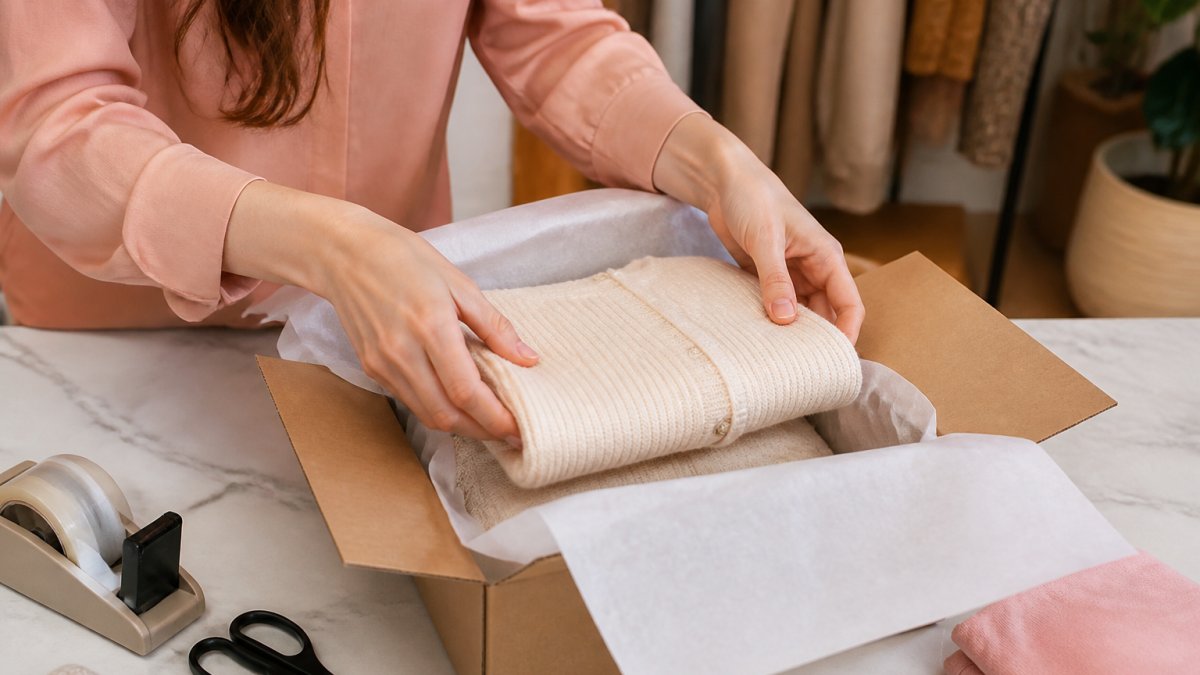
Place each item in the box carefully. If the original packaging is available, use it. If not, any sturdy box works. Use tissue paper or bubble wrap to prevent items from shifting during shipping.
Include your order number inside the box as well, written clearly on a piece of paper. This helps the retailer match your return to your account if the barcode doesn't scan properly.
Seal the box securely with packing tape. Make sure all seams are taped so nothing falls out during shipping. The box should feel sturdy when you pick it up.
Return Your Online Order in Store or by Mail
You now have two main options for completing your return: drop it off at a physical retail location or mail it back to the retailer.
In-Person Returns at Retail Locations
Some fashion retailers maintain physical stores where you can return online purchases. This option is often faster than mailing. Check your retailer's website to find store locations near you and confirm that they accept online returns (not all do).
Bring your packaged return and your return authorization number to the store. Hand it to a staff member at the customer service desk. They'll scan your return label and provide you with a receipt showing that your return was accepted. Keep this receipt, it serves as proof that you dropped off your return on a specific date.
In-person returns typically process faster because the retailer receives them immediately rather than waiting for mail delivery. Your refund may appear in your account within a few days of drop-off.
Mail Your Return Using a Carrier
If no store is nearby or you prefer mailing, use your prepaid return label to ship your package. You have several carrier options:
United States Postal Service (USPS), Drop your package at any post office. USPS Priority Mail is common for fashion returns. You'll receive a tracking number.
UPS, Drop off at UPS stores, UPS customer centers, or authorized shipping locations. Ask for a receipt with your tracking number.
FedEx, Similar to UPS, FedEx has drop-off locations throughout the country. Request a receipt and tracking number.
Choose whichever carrier is most convenient. The prepaid label specifies which carrier to use, so follow that instruction. When you drop off your package, ask the staff member for a receipt. This receipt includes a tracking number that lets you monitor your return's progress.
Track Your Return and Understand Online Fashion Refund Timeline
After you ship your return, tracking begins. Use the tracking number from your receipt to monitor your package's journey.
Your return typically moves through these stages:
In transit, Your package is on its way to the retailer's return center. This usually takes 3-7 business days depending on distance and carrier.
Received, The retailer has received your package at their return center. The carrier will mark this in tracking.
Processing, The retailer inspects your items to confirm they're eligible for return. This step typically takes 5-10 business days.
Refund issued, Once the retailer approves your return, they process your refund. The refund goes back to your original payment method (credit card, debit card, or digital wallet).
Refund posted, Your bank or card issuer posts the refund to your account. This final step can take 3-5 additional business days depending on your financial institution.
From start to finish, expect the full process to take 2-3 weeks.
Keep monitoring your return status through the carrier's tracking system. If your package shows as delivered but the retailer hasn't marked it as received, wait a few business days, there's often a lag between delivery and the retailer's internal processing. If it's been longer than a week since delivery and the retailer hasn't updated your return status, reach out to their support team.
Returning online fashion purchases becomes easier once you understand the process.
Frequently Asked Questions
Can you return something you ordered online in store?
Many retailers accept online orders for in-store return, but policies vary. Check your retailer's return policy on their website or customer account to confirm whether in-store returns are available for your purchase. Some retailers require you to start the return request online first and receive a return authorization before visiting a store location.
How can you return an online order without a printer?
If you cannot print your return label, contact customer support by email or phone and request a prepaid return label be sent to you by mail. You can also ask the carrier (USPS, UPS, or FedEx) at a drop-off location whether they can generate a label at the counter. Some retailers offer printer-free return options through their online portal where you can arrange carrier pickup without printing anything.
How long does it take to get a refund after returning clothes?
Refund timing depends on your retailer's policy and the carrier used. Most retailers process refunds within 5-14 business days after receiving your return package. Once the return is scanned into the carrier's system, allow 3-7 additional business days for the carrier to deliver it to the warehouse. Check your online account or contact customer support to track your return and confirm the expected refund date.
Do you need the original packaging to return clothing?
Most retailers do not require original packaging for fashion returns, though some may have specific policies. Use clean, sturdy packaging that protects the items during shipping. Include your order number, return form, and any required documentation inside the package. Check your retailer's return instructions in your order confirmation email or on their website for specific packaging requirements.


